

Learn Liquid Glass
Apple’s Liquid Glass, learned by doing. Over 200 working SwiftUI examples you can open, adjust live, and lift the Swift straight out of — on iPhone, iPad, and Mac.


Start here
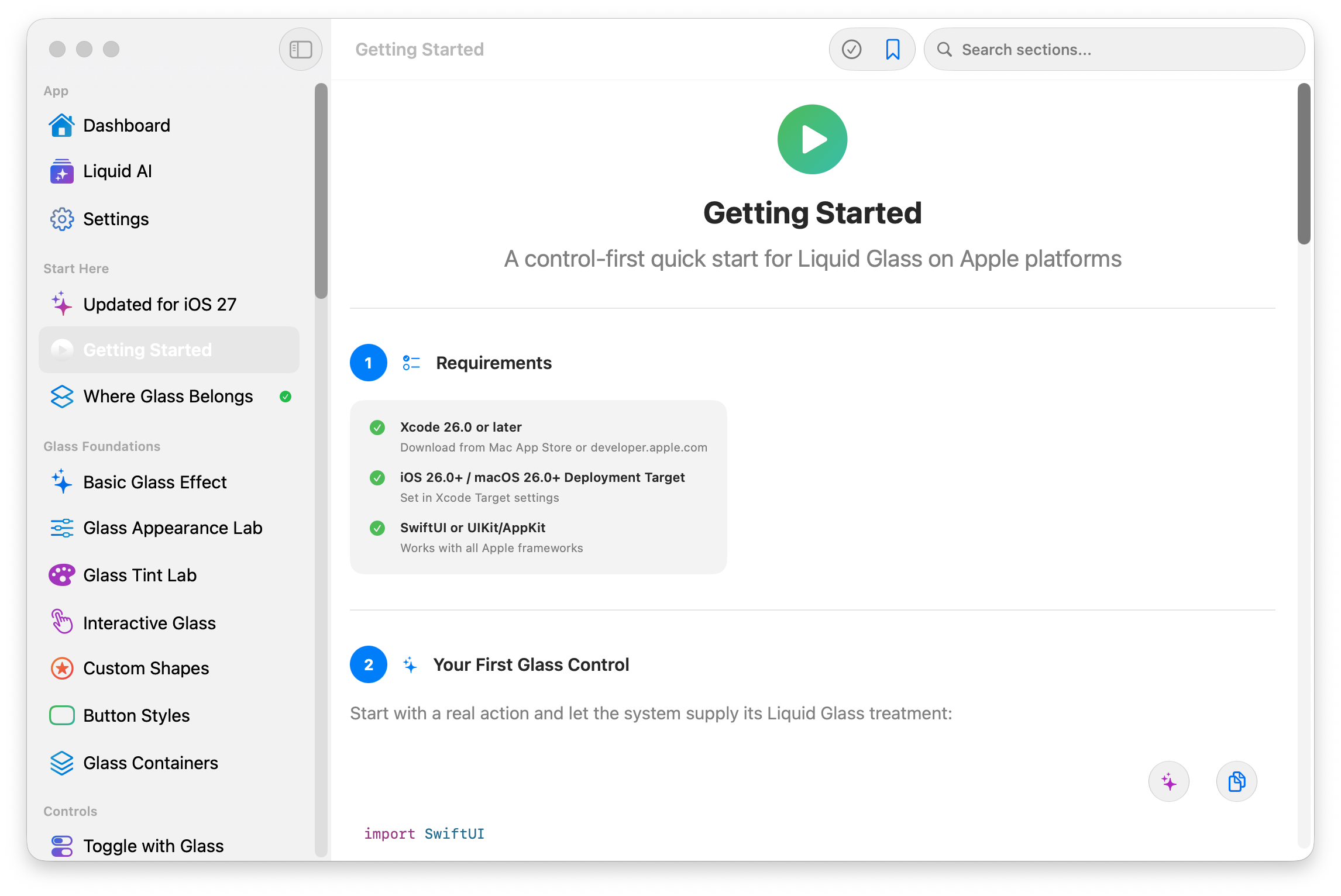
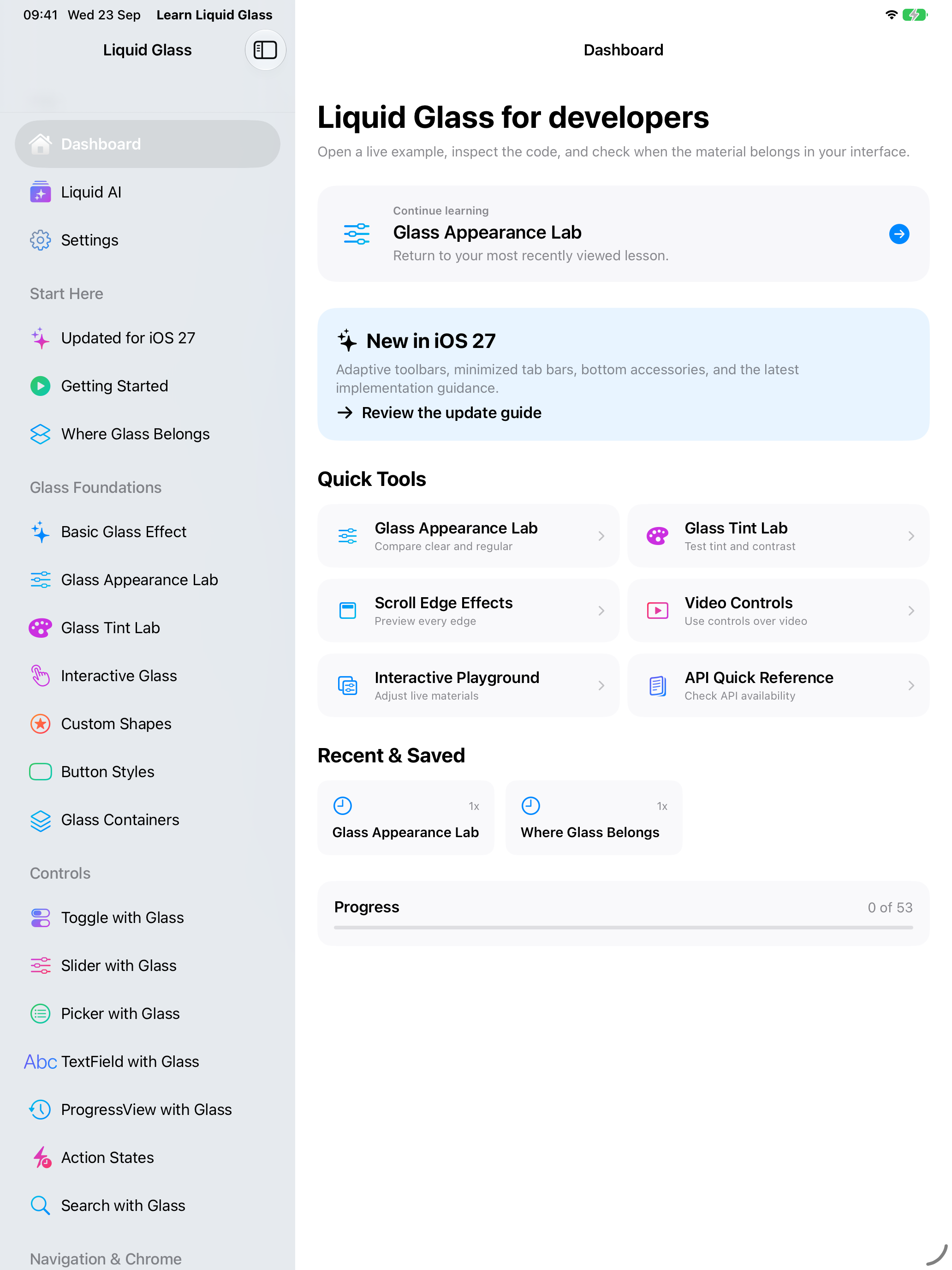
Every example, one tap away
Open a live example straight away, or follow the guided path from the placement rules onward. Progress and bookmarks stay on your device.
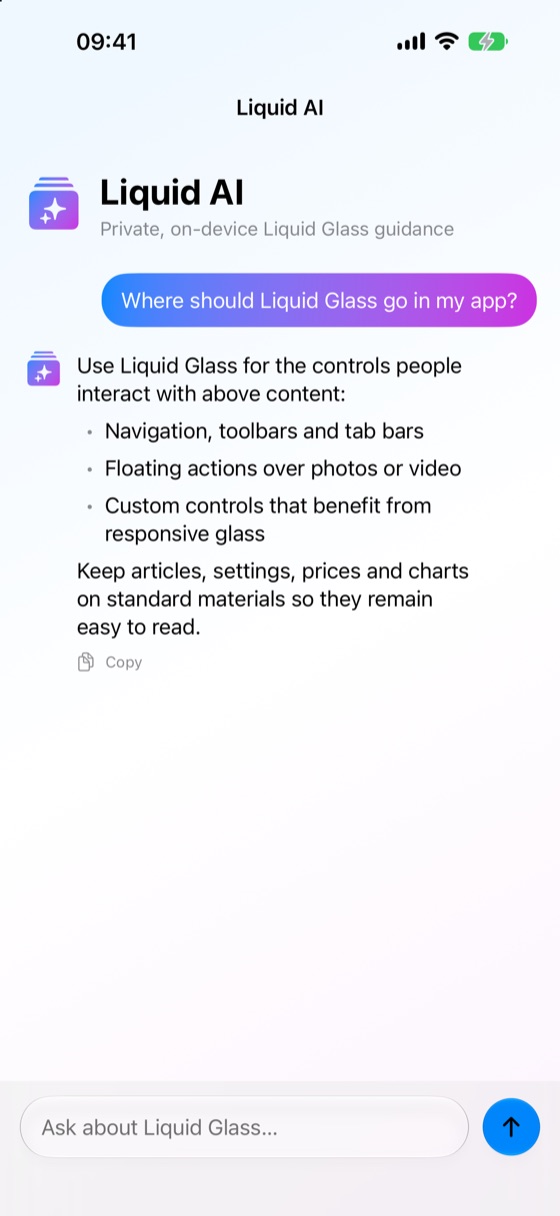
Liquid AI
Ask, and stay private
On-device guidance from Apple Intelligence answers where glass belongs and why. Your questions never leave the device.
Real Swift
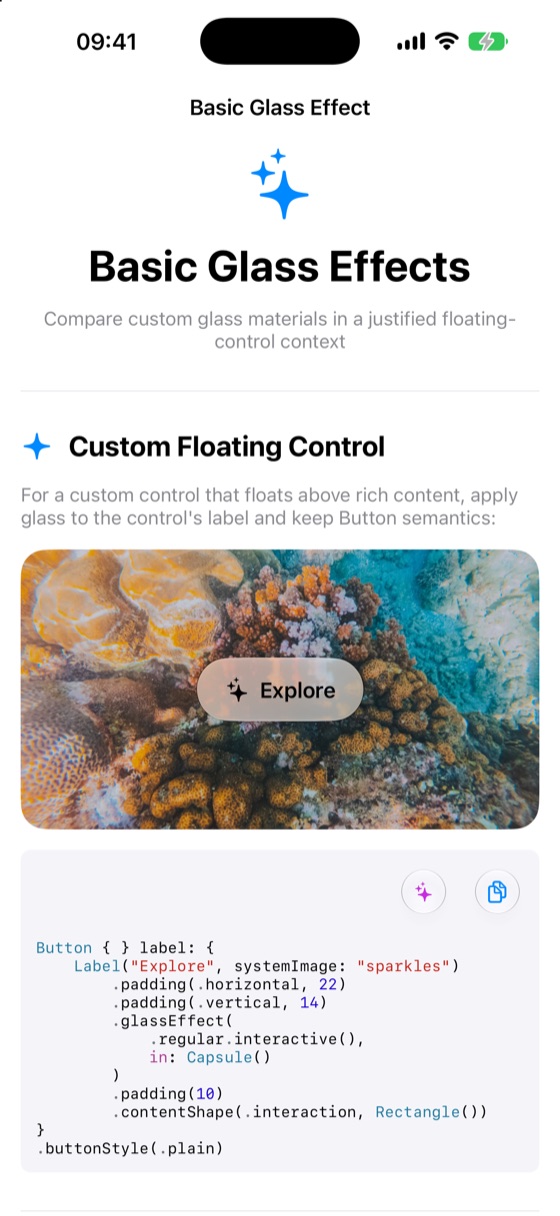
Copy the code, not just the concept
Every example carries the Swift behind it, formatted and ready to paste into your project — glass effects, custom shapes, and controls included.
-
50+ guided lessons
A control-first path through placement, materials, and the rules Apple actually recommends.
-
Live appearance labs
Compare clear and regular glass, tune tint and contrast, and watch scroll edges react as you change them.
-
Kept current
Adaptive toolbars, minimized tab bars, bottom accessories, and layouts for iPhone Duo, updated as the platform moves.
-
Private by design
Progress, bookmarks, and settings stay on your device. No accounts, no tracking, works offline.
What you’ll learn
Lessons are organised by the job you’re doing, so you can jump to what your app needs today.
- Glass foundations — where Liquid Glass belongs on the control layer, and where standard materials suit the content layer.
- Controls — buttons, toggles, sliders and menus with glass effects and custom shapes.
- Navigation and system chrome — toolbars, tab bars, sidebars, and bottom accessories.
- Interaction and motion — morphing, merging glass shapes, and scroll edge effects.
- Platform APIs — the SwiftUI modifiers behind it all, with the OS versions each one needs.
- Shipping quality — contrast, accessibility, and reduced transparency, so glass stays readable.
At a glance
- Price
- £1.99, one-time. No subscription, no in-app purchases.
- Platforms
- iPhone, iPad and Mac (one purchase covers both App Stores)
- Requires
- iOS 26, iPadOS 26 or macOS 26 or later
- Category
- Education · Rated 4+
- Language
- English
- Privacy
- No account, no tracking, works offline
- Developer
- Vibe Node Ltd, London, UK
Questions
What is Learn Liquid Glass?
An app for learning Apple’s Liquid Glass design language in SwiftUI. It has more than 50 guided lessons and over 200 working examples you can open, adjust with live controls, and copy the Swift code from.
Which devices does it run on?
iPhone, iPad and Mac, on iOS 26, iPadOS 26 or macOS 26 or later. It includes adaptive layouts for iPhone Duo.
How much does it cost?
A one-time purchase of £1.99 on the App Store, with no subscription and no in-app purchases.
Does it need an account or collect data?
No. There’s no account and no tracking. Progress, bookmarks and settings stay on your device, and the app works offline.
How does the AI help work?
Where Apple Intelligence is available, Liquid AI answers questions about where Liquid Glass belongs and suggests Swift code. It runs on-device, so your prompts and code are never sent to a server.
Can I use the example code in my own apps?
Yes. Every example shows the Swift behind it, ready to paste into your own project, along with the frameworks it uses and the OS versions it needs.